

Since the Colorado draw is approaching in April, here are some helpful tips in understanding and reading the statistics page.
The CPW recently reformatted this page and it takes a bit of getting used to.
Let me know if you have any questions
First
Go to the Statistics page
<!-- m --><a class=\"postlink\" href=\"http://cpw.state.co.us/thingstodo/Pages/Statistics.aspx\" onclick=\"window.open(this.href);return false;\">http://cpw.state.co.us/thingstodo/Pages/Statistics.aspx</a><!-- m -->
Now lets research a DEER Unit
<!-- m --><a class=\"postlink\" href=\"http://cpw.state.co.us/thingstodo/Pages/Statistics-Deer.aspx\" onclick=\"window.open(this.href);return false;\">http://cpw.state.co.us/thingstodo/Pages ... -Deer.aspx</a><!-- m -->
Now go to the REPORT
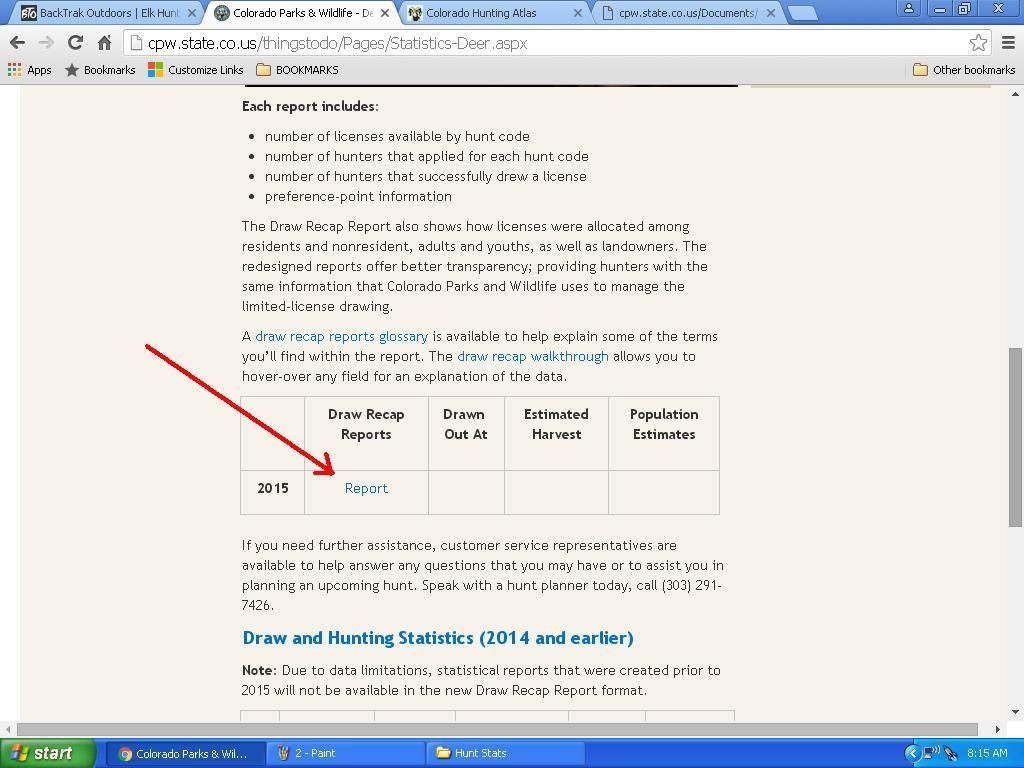
I like to use shortcuts when doing this becasue otherwise you are scrolling thru TONS of data!
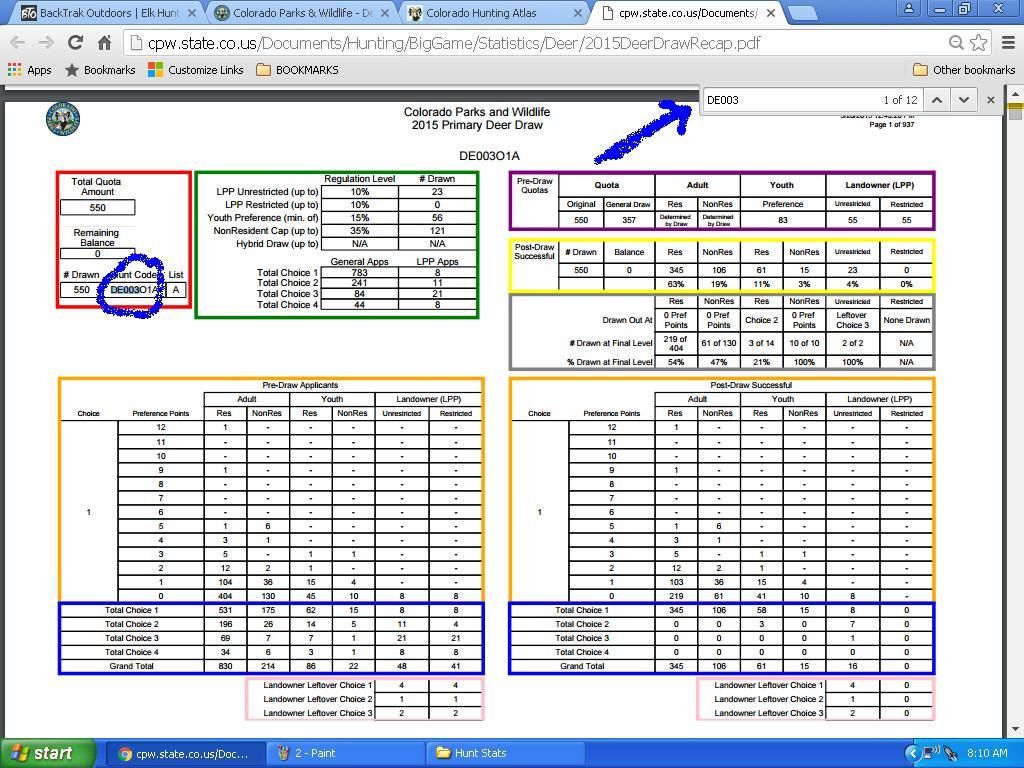
So, select \'Control F\' and you will get a search box in the upper right of your screen
Its helpful to have the Regulations handy to get the Hunt Code(s) you are interested in
[Last years brochure will work]
Lets say you want to research an \'ARCHERY DEER IN UNIT 3\'
The Hunt Code is DE003o1A [D=Deer / E=Either Sex / 003= GMU / o1A = Archery
Now type DE003 in that little box.
BAM!
The data sheet jumps right to your inquiry!
[url=http://s207.photobucket.com/user/cnelk/media/1_zpsvcq3h8lx.jpg.html]
 [/url]
The CPW recently reformatted this page and it takes a bit of getting used to.
Let me know if you have any questions
First
Go to the Statistics page
<!-- m --><a class=\"postlink\" href=\"http://cpw.state.co.us/thingstodo/Pages/Statistics.aspx\" onclick=\"window.open(this.href);return false;\">http://cpw.state.co.us/thingstodo/Pages/Statistics.aspx</a><!-- m -->
Now lets research a DEER Unit
<!-- m --><a class=\"postlink\" href=\"http://cpw.state.co.us/thingstodo/Pages/Statistics-Deer.aspx\" onclick=\"window.open(this.href);return false;\">http://cpw.state.co.us/thingstodo/Pages ... -Deer.aspx</a><!-- m -->
Now go to the REPORT

I like to use shortcuts when doing this becasue otherwise you are scrolling thru TONS of data!
So, select \'Control F\' and you will get a search box in the upper right of your screen
Its helpful to have the Regulations handy to get the Hunt Code(s) you are interested in
[Last years brochure will work]
Lets say you want to research an \'ARCHERY DEER IN UNIT 3\'
The Hunt Code is DE003o1A [D=Deer / E=Either Sex / 003= GMU / o1A = Archery
Now type DE003 in that little box.
BAM!
The data sheet jumps right to your inquiry!
[url=http://s207.photobucket.com/user/cnelk/media/1_zpsvcq3h8lx.jpg.html]